I used to run a small publishing company, and we published a monthly magazine that was styled like a Victorian newspaper. We used woodcut illustrations extensively, and I never did find any software that did a really good job of automating the conversion of a photo, though I tried.
I tested several and used several methods, but none were totally satisfactory, and all took a lot of work to get any kind of decent result; almost as much as required to do it manually. I know there must be something out there, but I never found it. The biggest thing for me is that the lines need to follow the counters of the image. Otherwise it never looks right.
Instant Photo Sketch is a simple, easy to use tool to quickly create a pencil sketch from one of your photos. Simply load the image and click a button to apply the effect. There are two sliders that allow you to adjust the black and white intensity of the drawing which provides you with some degree of control over the results. The drawing can then be saved a JPG or PNG image file.
Turn digital photos into beautiful pencil sketches or paintings in seconds. FotoSketcher can create images that look like they have been hand drawn by the best artists. FotoSketcher is fast, fun, easy and free.
http://www.evilmadscientist.com/2012/stipplegen2/
StippleGen is a free, open source, and cross-platform application from Evil Mad Scientist Laboratories that can create stipple drawings and “TSP art,” from image files.

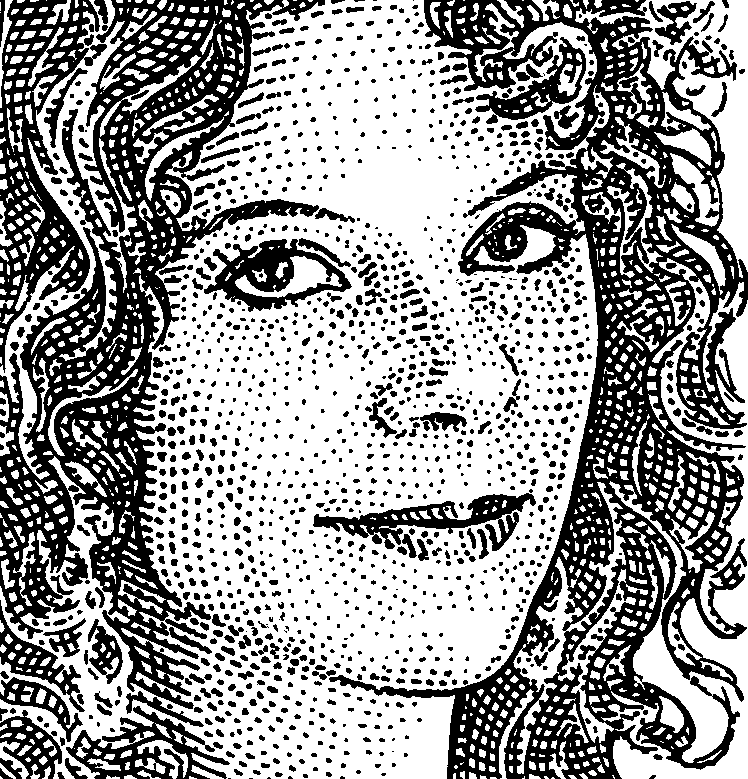
this might work.
http://akvis.com/en/sketch/index.php
crosshatch right in photoshop
http://www.lynda.com/Photoshop-tutorials/Crosshatch-filter/115429/134508-4.html
CS6:
Filter > Brush Strokes > Crosshatch
CC:
Filter > Filter Gallery > …
I used to run a small publishing company, and we published a monthly magazine that was styled like a Victorian newspaper. We used woodcut illustrations extensively, and I never did find any software that did a really good job of automating the conversion of a photo, though I tried.
I tested several and used several methods, but none were totally satisfactory, and all took a lot of work to get any kind of decent result; almost as much as required to do it manually. I know there must be something out there, but I never found it. The biggest thing for me is that the lines need to follow the counters of the image. Otherwise it never looks right.
Not exactly crosshatch but . . .
Instant Photo Sketch
FREEware
http://clipping-path-studio.com/download/
Instant Photo Sketch is a simple, easy to use tool to quickly create a pencil sketch from one of your photos. Simply load the image and click a button to apply the effect. There are two sliders that allow you to adjust the black and white intensity of the drawing which provides you with some degree of control over the results. The drawing can then be saved a JPG or PNG image file.
FotoSketcher
FREEware
http://www.fotosketcher.com/
Turn digital photos into beautiful pencil sketches or paintings in seconds. FotoSketcher can create images that look like they have been hand drawn by the best artists. FotoSketcher is fast, fun, easy and free.
Try this:
http://www.evilmadscientist.com/2012/stipplegen2/
StippleGen is a free, open source, and cross-platform application from Evil Mad Scientist Laboratories that can create stipple drawings and “TSP art,” from image files.
Oleg,
try this: http://i1070.photobucket.com/albums/u485/zimmerlip/CZ455lux_22wmr_2328web_zps2c718f26.jpg
You’ll find the effect under the Lab tab. Easy to use, easy to make adjustments.
Photofunia.com is one of the handiest tools in my toolbox.